Accessing GAC-files in Explorer without registry hacks
Problem If you go in Explorer to the GAC folder (%windir%\Assembly) a shell extension gives you a special view of the content there: In this view you couldn’...
·1 min read
Problem
If you go in Explorer to the GAC folder (%windir%\Assembly) a shell extension gives you a special view of the content there:
In this view you couldn’t copy the DLLs to somewhere else.
Solution
With a special registry intervention you could deactivate the shell extension so that Explorer shows the content in a normal way.
But this is like a hack.
If you are practiced with command line you could go to the assembly folder
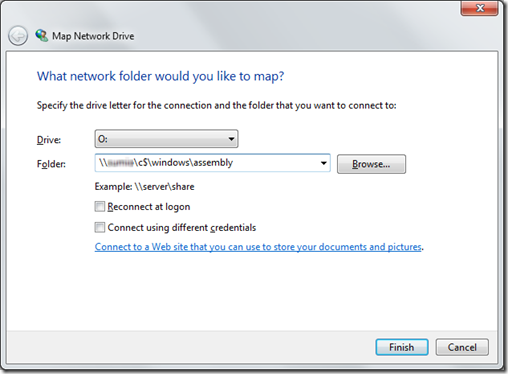
And the smartest with explorer is to map a network drive to \<your machine>\c$\windows\assembly
imageand so you have access to your assemblies over the new drive: