Be carefully by using PostSharp regarding license choice
Initial situation If you download and install PostSharp you run the professional edition in trial mode if you don’t configure additional things – also if you...
Initial situation
If you download and install PostSharp you run the professional edition in trial mode if you don’t configure additional things – also if you want to run the community edition.
There is no visual incisive hint, that informs you about that.
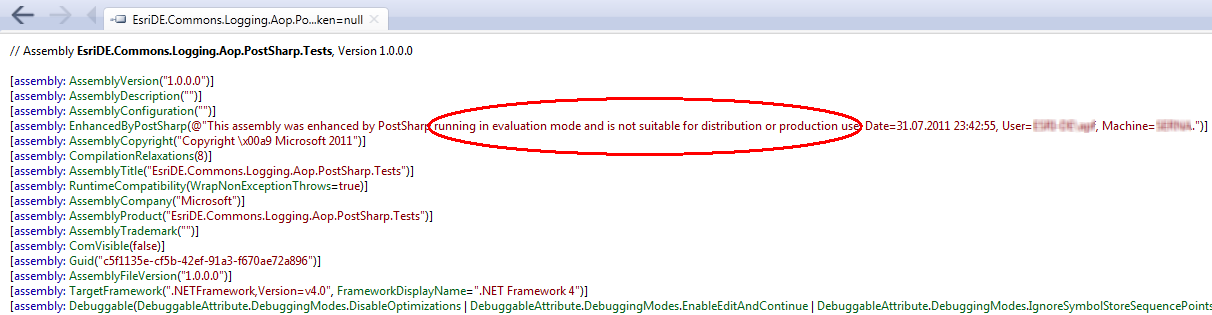
So your assemblies gets an metainformation, that you use a PostSharp in evaluation mode. You could use the Reflector to check this:
Setting a meaningful license
In the start menu is the PostSharp tool “PostSharp 2.0 User Options”. With this tool you could set license-information – notably for the (free) community edition. Over this tool you could also go to the SharpCrafters web site to acquire a license. All developers must have an own individual license for PostSharp. Put the license key in the textbox and register it.

Effect to the assembly
Now you could verify after a rebuild, that the red marked entry is not more included in the assembly:
