Frequently Asked Questions About Given-When-Then
A practical introduction to the Given-When-Then format, its role in acceptance criteria, and how it complements user story descriptions.
Given–When–Then (GWT) is a simple but powerful format for describing expected system behavior. It is commonly associated with Behavior-Driven Development (BDD) and is particularly useful for writing clear and testable acceptance criteria.
Although the basic structure is simple, questions often arise about where GWT belongs in a work item, how it relates to a User Story, and whether it should be used for the work item’s description itself.
This post answers those questions using a practical login example.
What Is Given-When-Then?
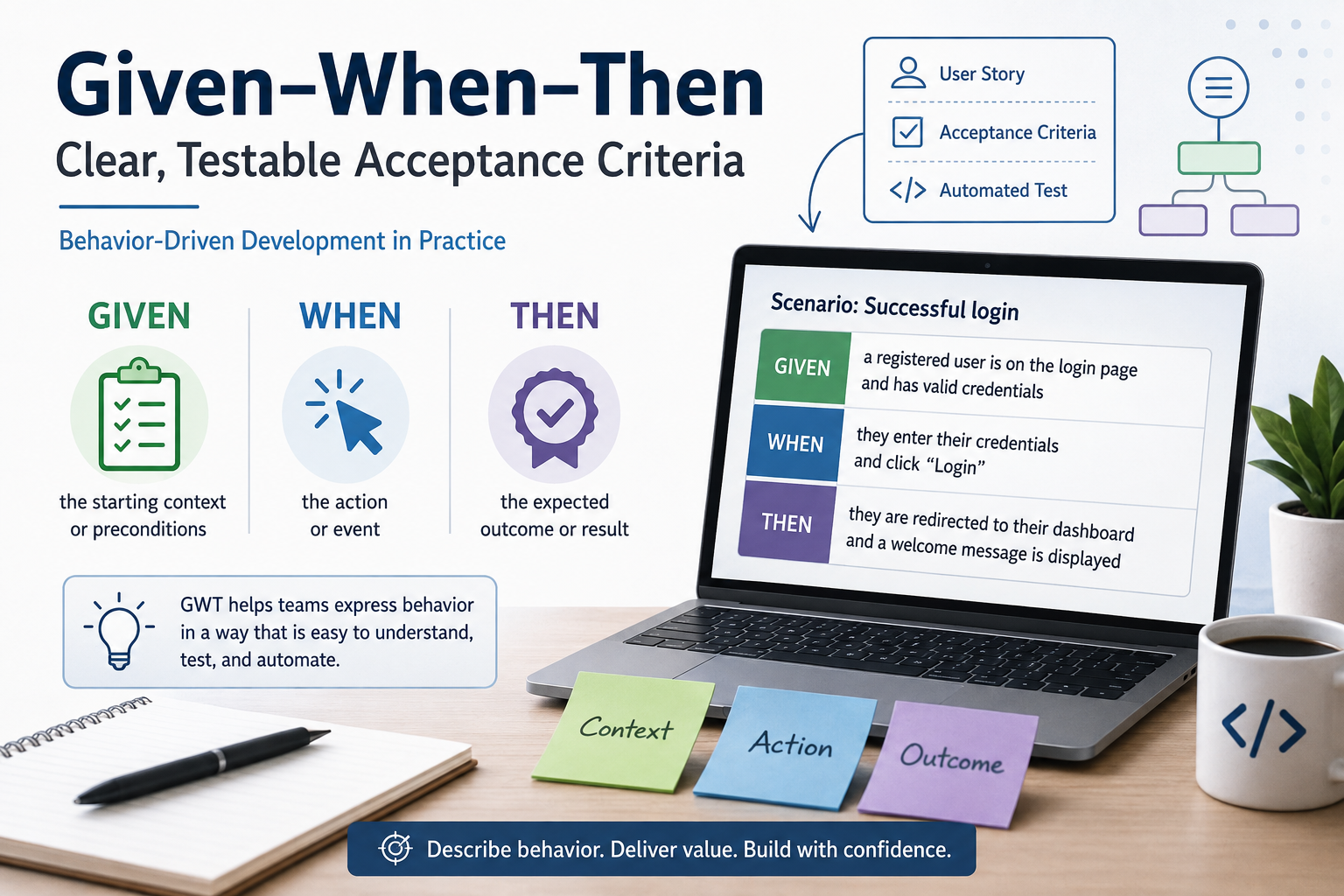
Given–When–Then describes a scenario using three elements:
- Given — the initial context or preconditions
- When — the action or event that occurs
- Then — the expected outcome
A simple example is:
Scenario: Successful login

Given a registered user is on the login page
When they enter valid credentials and click "Login"
Then they are redirected to their dashboard
The structure establishes a straightforward relationship:
Given → Context
When  → Action
Then  → Expected result
This makes scenarios relatively easy to understand for developers, testers, product owners, and other stakeholders.
More importantly, the expected behavior is expressed in a way that can be verified.
What Is GWT For?
The primary purpose of GWT is to describe observable and testable behavior.
Consider the following requirement:
A user must be able to log in.
The intention is understandable, but many details remain unspecified.
What should happen with valid credentials? What should happen with an invalid password? What happens when the fields are empty?
GWT allows these behaviors to be expressed as individual scenarios.
For example:
Given a registered user is on the login page
When they enter valid credentials
Then they are redirected to their dashboard
Each scenario establishes a specific starting condition, an action, and an expected result.
This makes GWT particularly suitable for acceptance criteria.
Should GWT Be Used for the Work Item Description?
Usually, no.
GWT and the work item description serve different purposes.
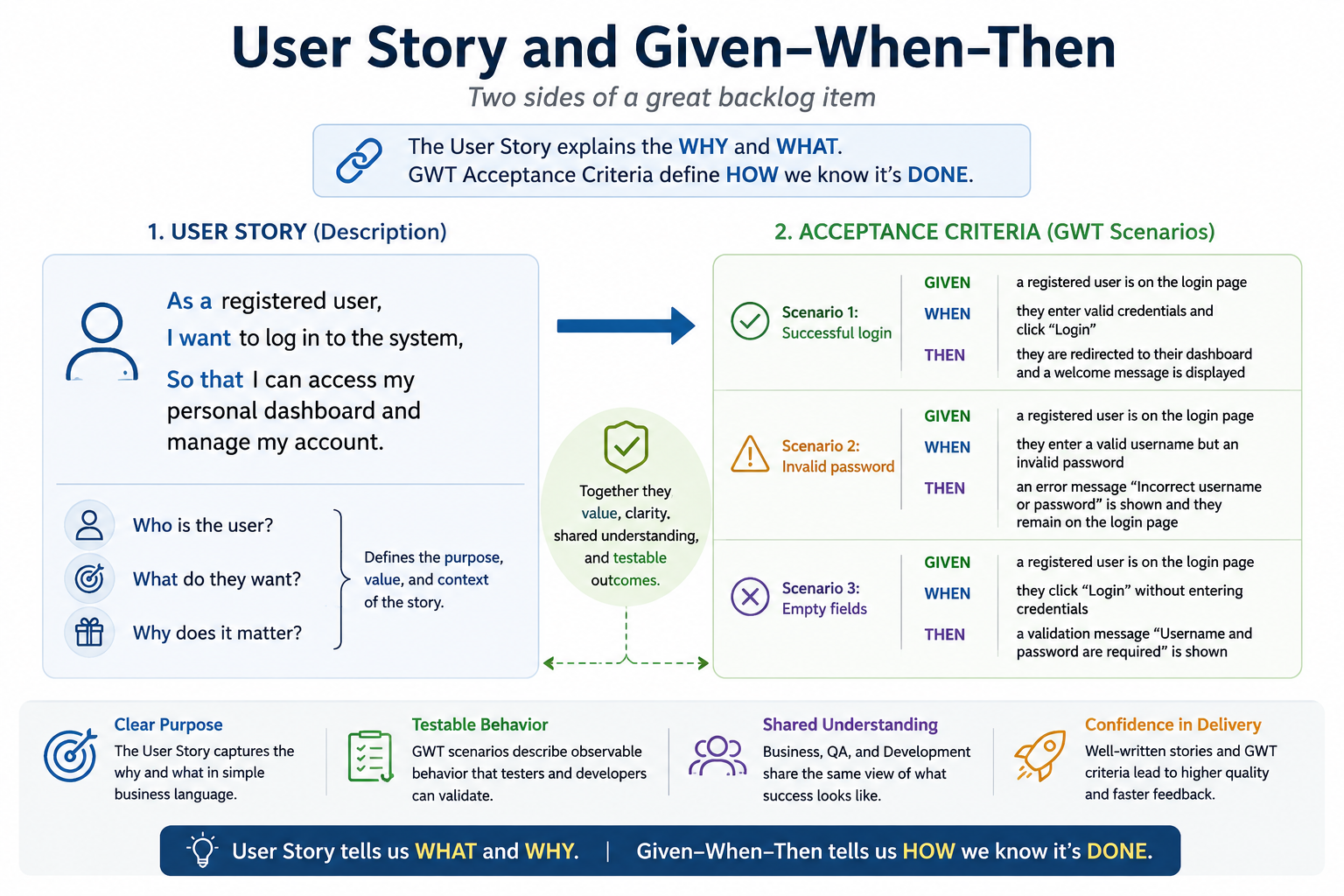
The description should explain what is needed and why. GWT-based acceptance criteria describe how we determine whether the expected behavior has been implemented correctly.
| Aspect | Description | Acceptance Criteria |
|---|---|---|
| Purpose | Explains the what and why | Defines how we know it is done |
| Format | Narrative or User Story | Structured scenarios, often using GWT |
| Focus | Intent and value | Observable behavior |
| Example | “As a user, I want to log in so that I can access my dashboard.” | “Given a valid user… When they enter credentials… Then they see their dashboard.” |
Trying to use GWT for the complete description can make the work item unnecessarily procedural and obscure its actual purpose.
A better approach is to let each section do one job well.
User Story and GWT Complement Each Other
A User Story and GWT acceptance criteria are not competing formats.
They answer different questions.
A User Story might say:
As a registered user
I want to log in to the system
So that I can access my personal dashboard and manage my account
This describes:
Who? → A registered user
What? → Log in to the system
Why? → Access the dashboard and manage the account
It deliberately does not specify every possible interaction or edge case.
That detail belongs in the acceptance criteria.
The overall structure of the work item can therefore be:
PBI / User Story
│
├── Description
│   └── Who, what and why?
│
└── Acceptance Criteria
    ├── Scenario 1: Successful login
    ├── Scenario 2: Invalid password
    └── Scenario 3: Empty fields
Examples
Example: Successful Login
The first acceptance criterion describes the happy path.
Scenario: Successful login

Given a registered user is on the login page
And they have a valid username and password
When they enter their credentials and click "Login"
Then they are redirected to their dashboard
And a welcome message is displayed
Notice the use of And.
Given–When–Then does not mean every scenario must consist of exactly three lines. Additional conditions and outcomes can be expressed with And while preserving the basic structure.
Conceptually, this scenario says:
Context
  Given user is on login page
  And credentials are valid

Action
  When user submits credentials

Expected behavior
  Then dashboard is displayed
  And welcome message is shown
Example: Invalid Password
Acceptance criteria should not describe only the happy path.
A second scenario can specify how the system behaves when authentication fails:
Scenario: Invalid password

Given a registered user is on the login page
When they enter a valid username but an invalid password
Then an error message "Incorrect username or password" is shown
And they remain on the login page
This makes two important expectations explicit:
- an error is shown,
- the user remains on the login page.
Without such a scenario, different people might have different assumptions about the expected behavior.
Example: Empty Fields
Validation behavior can be expressed in exactly the same way:
Scenario: Empty fields

Given a registered user is on the login page
When they click "Login" without entering credentials
Then a validation message "Username and password are required" is shown
The three scenarios together describe substantially more of the expected behavior than a single general statement such as:
The login must handle errors correctly.
GWT Makes Acceptance Criteria Testable
One of the main strengths of GWT is the natural relationship between the acceptance criterion and a test.
Consider:
Given a registered user is on the login page
When they enter an invalid password
Then an error message is shown
This already resembles the structure of an automated or manual test:
Arrange → Given
Act     → When
Assert  → Then
The terminology is different, but the underlying structure is very similar.
This does not mean every GWT scenario must become an automated test. It means the scenario is formulated precisely enough that a tester can determine whether the implementation satisfies it.
Focus on Behavior, Not Implementation
GWT scenarios should generally describe externally observable behavior rather than implementation details.
For example, prefer:
Given a registered user provides valid credentials
When they log in
Then they are redirected to their dashboard
over something like:
Given the Users table contains a matching SHA-256 password hash
When LoginService.Authenticate() returns true
Then DashboardController.Redirect() is called
The second version couples the acceptance criterion to a particular technical implementation.
The first describes the behavior expected by the user and can remain valid even if the internal architecture changes completely.
This is consistent with the purpose of BDD: describe behavior, not implementation mechanics.
Keep Scenarios Focused
A GWT scenario should ideally describe one meaningful behavior.
Avoid turning a single acceptance criterion into a long workflow containing many unrelated actions and assertions.
Instead of creating one enormous scenario covering successful login, failed login, validation, password expiration, account locking, and logout, use separate scenarios:
Scenario: Successful login
Scenario: Invalid password
Scenario: Empty credentials
Scenario: Locked account
Scenario: Expired password
This makes individual behaviors easier to discuss, implement, test, and maintain.
A Practical Work Item Structure
For a typical PBI, a useful structure is:
Title
  User can log in using registered credentials

Description
  As a registered user
  I want to log in to the system
  So that I can access my personal dashboard

Acceptance Criteria

  Scenario: Successful login
    Given ...
    When ...
    Then ...

  Scenario: Invalid password
    Given ...
    When ...
    Then ...

  Scenario: Empty credentials
    Given ...
    When ...
    Then ...
This creates a clean separation of responsibilities.
The title identifies the capability.
The description communicates intent and user value.
The acceptance criteria define the observable behavior required for the work item to be considered complete.
Conclusion
Given–When–Then is best understood as a format for expressing behavioral acceptance criteria, rather than as a replacement for the general description of a work item.
The distinction can be summarized as:
Description
    ↓
What do we want and why?

Acceptance Criteria
    ↓
How should the system behave?

Given–When–Then
    ↓
How do we express that behavior
precisely and testable?
A User Story provides the purpose and context:
As a user, I want to log in so that I can access my dashboard.
GWT scenarios then define what successful implementation actually means:
Given the relevant context, when something happens, then the system should produce a specific observable result.
Used together, User Stories and Given–When–Then provide both sides of a good backlog item: the reason for building something and a precise definition of the behavior expected from it.