Kill processes in bulk mode
A quick Windows command-line technique for stopping multiple processes at once.
Open PowerShell with elevated permissions and run
get-process > C:\_temp\process.txt
Open
process.txtin an editor with multi cursor capabilities, e.g. Visual Studio Code or _Notepad++`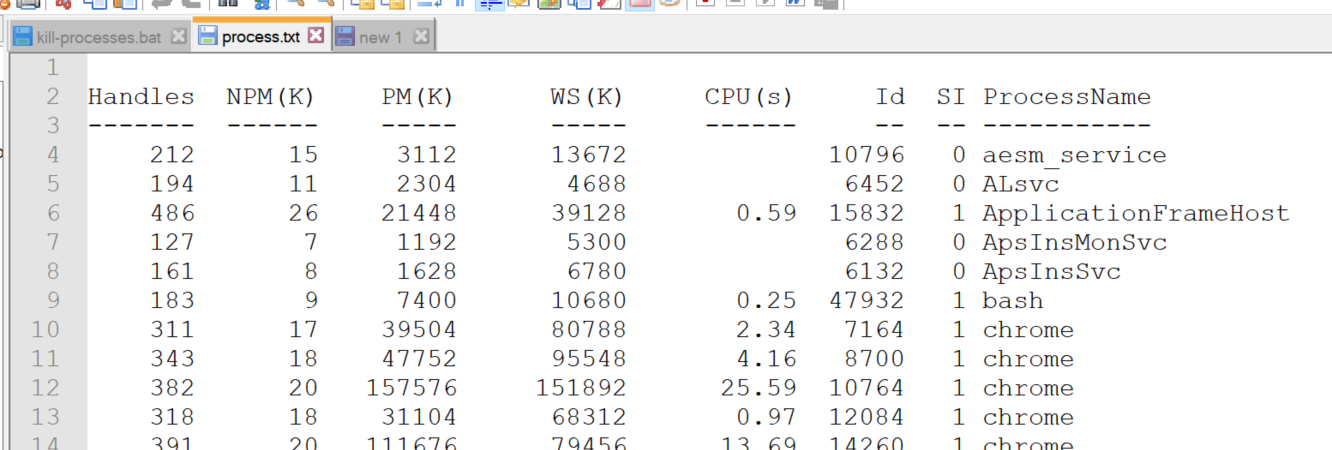
Cut the content of ID column where
ProcessNameis your relevant process to kill
Put a
taskkill /F /PIDin front of all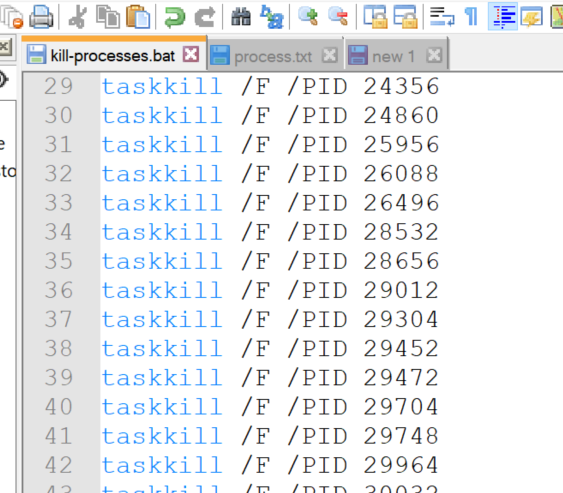
Save it as batch, for instance as
C:\_temp\kill-processes.batRun the batch
