SharpDevelop, F#, “Please ensure that the F# compiler is installed on your computer.”
Situation My private machine has Microsoft Visual Studio Express 2012 for Windows Desktop. This Visual Studio edition doesn’t allow to develop with F#. So I...
Situation
My private machine has Microsoft Visual Studio Express 2012 for Windows Desktop. This Visual Studio edition doesn’t allow to develop with F#. So I installed additionally SharpDevelop.
But it took longer as expected to get F# projects running in this environment.
Problem
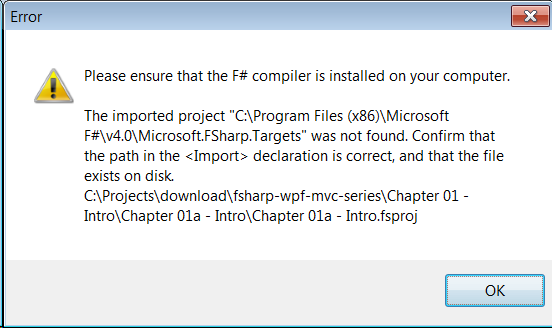
Creating a new or opening an existing F# project ended up in this error:
“Please ensure that the F# compiler is installed on your computer.”
According the the installation hints from Use F# on Windows, I installed the following packages:
But no chance .. still the same.
I remembered an old blog post concerning a special entry in the config file of SharpDevelop to get F# running .. but still the same.
Reason
Indeed there is this reference inside all my *.fsproj files:
<Import Project="$(MSBuildExtensionsPath32)\FSharp\1.0\Microsoft.FSharp.Targets" Condition="!Exists('$(MSBuildBinPath)\Microsoft.Build.Tasks.v4.0.dll')" />

<Import Project="$(MSBuildExtensionsPath32)\..\Microsoft F#\v4.0\Microsoft.FSharp.Targets" Condition=" Exists('$(MSBuildBinPath)\Microsoft.Build.Tasks.v4.0.dll')" />
And both folders are not on this machine.
My F# is located under C:\Program Files (x86)\Microsoft SDKs\F#\3.0\Framework\v4.0.
Solution
After a few more attempts to configure SharpDevelop to use F# from the location on my machine, I lost my patience. I decided to go the hard way: use a junction.
With Sysinternals tool Junction it is possible to link one of the missing references to an existing one.
Im my case this command made it:
junction "C:\Program Files (x86)\Microsoft F#\v4.0" "C:\Program Files (x86)\Microsoft SDKs\F#\3.0\Framework\v4.0"
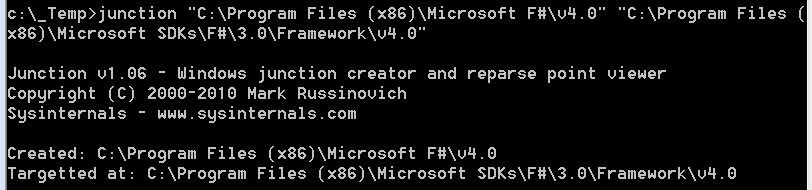
After setting this junction, F# developing within SharpDevelop was possible.