Visual Studio 2005 and 2008 compatibility with ReSharper
In our team we have developers with Visual Studio 2005 and 2008. Often we have projects which must be coded by a mixed team. Visual Studio 2005 and 2008 comp...
In our team we have developers with Visual Studio 2005 and 2008. Often we have projects which must be coded by a mixed team.
Visual Studio 2005 and 2008 compatibility for project-files
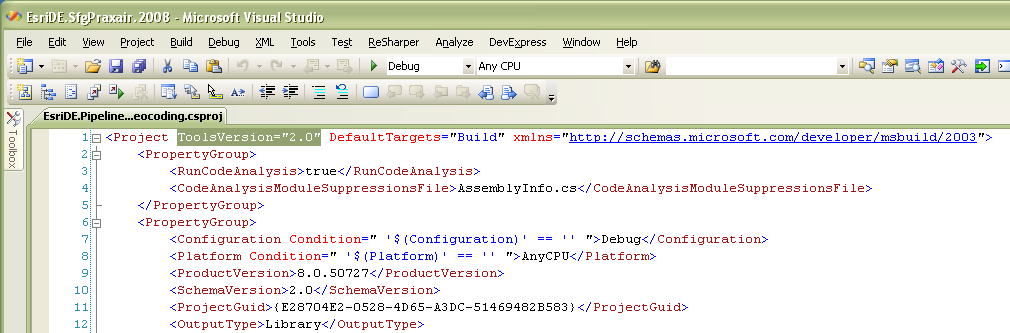
Normally this is no problem because adding projects in Visual Studio 2005 and manually introducing the ToolsVersion=“2.0” attribut in the new csproj-file allows an coexisting working when using two sln-files for Visual Studio 2005 and 2008.
We name the sln-files normaly <solution>.2005.sln and <solution>.2008.sln. With a little bit overhead it is no problem to hold them in sync.
ReSharper hints for C# 3.0 compiler capabilities
But today we saw the effect that ReSharper suggest special C# 3.0 compiler capabilities. For instance:
- Use implicitly typed local variable declaration
- Redundant explicit array type specification
Setting ReSharper to C# 2.0 mode
After searching awhile i found a blog-post from Ilya Ryzhenkov from JetBrains (Suppress C# 3.0 capabilities)
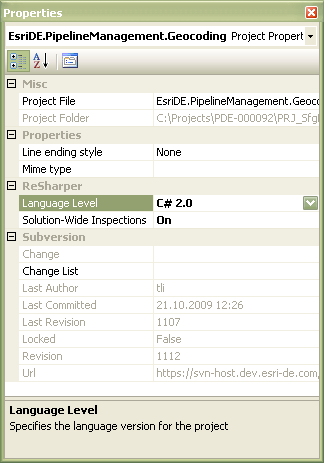
A project could have special ReSharper settings. Select the project and open the properties tool window (F4). Under section “Resharper” is the property “Language Level”. Setting this property to “C# 2.0” suppresses the special C# 3.0 hints.
ReSharper storage location
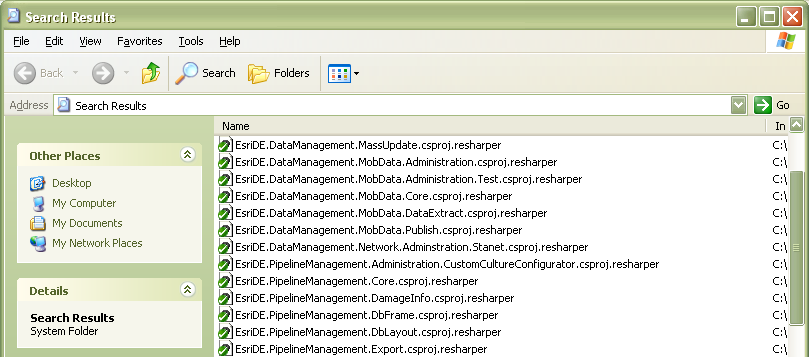
ReSharper saves this definition in a special file (<csproj-file>.resharper) nearby the csproj-file. This setting-file is sometimes written during solution closing. A “Save All” was insufficient! So close your solution and checkin the newly appearing *.resharper-files.