Accessing GAC-files in Explorer without registry hacks
Shows how to access and copy assemblies from the .NET Global Assembly Cache (GAC) despite Windows Explorer's special shell view, using the command line or a mapped administrative network share
·1 min read
Problem
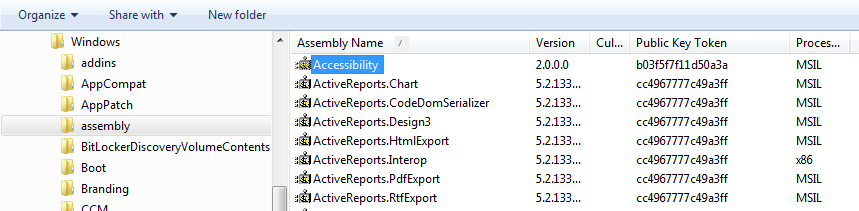
If you go in Explorer to the GAC folder (%windir%\Assembly) a shell extension gives you a special view of the content there:
In this view you couldn’t copy the DLLs to somewhere else.
Solution
With a special registry intervention you could deactivate the shell extension so that Explorer shows the content in a normal way.
But this is like a hack.
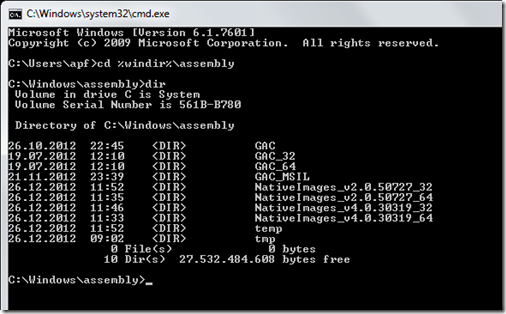
If you are practiced with command line you could go to the assembly folder
image
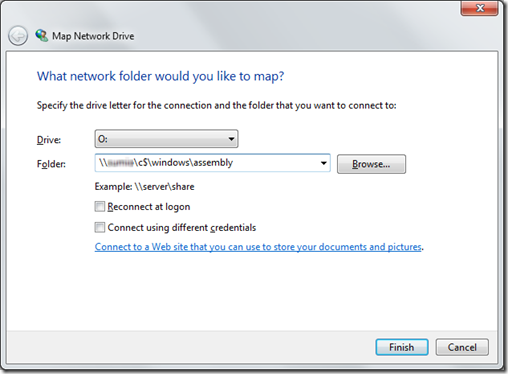
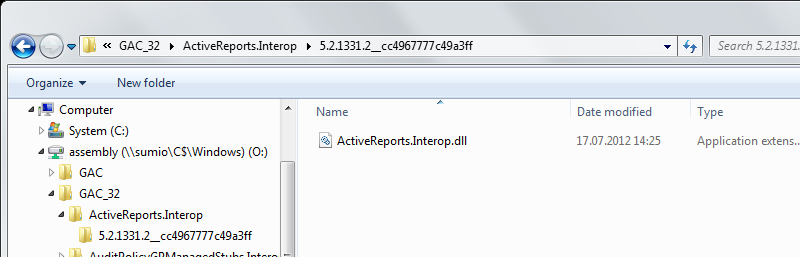
And the smartest with explorer is to map a network drive to \<your machine>\c$\windows\assembly
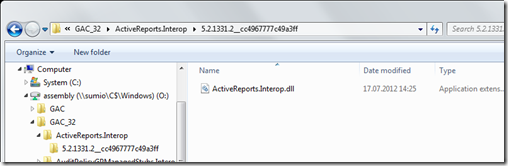
imageand so you have access to your assemblies over the new drive:
image